

Grok Imagine Image 2.0 API
Grok Imagine Image 2.0 is xAI's precise image generation and editing model, released August 7, 2026, built around instruction fidelity, designer-grade typography, and edit-safe revisions — ranked second in the world on both Arena text-to-image and image editing at launch. Roko API serves it as an async task from $0.036 per 1K image with dual-dimension quality-by-resolution pricing.
- Public model ID
grok-imagine-image-2.0- Output tiers
1K / 2K (1K default)- Billing
quality × resolution- Endpoint
POST /v1/images/tasks- Catalog snapshot
What is Grok Imagine Image 2.0?
Grok Imagine Image 2.0 is xAI's image generation and editing model, released August 7, 2026 as the "Quality Mode" of Grok Imagine on web and mobile, with the API ID grok-imagine-image-2.0. xAI's positioning: precise generation and editing for real creative work — instructions followed down to the details, typography and layout planned the way a designer would, and complex multi-part visuals that hold together with sharp small text.
Editing is a first-class capability: magic-wand region edits (change exactly what you point at), segmentation, background removal with transparent-background export, and multi-reference editing (up to 5 inputs fused automatically). Smart Resize recomposes one image across ratios from 1:2 to 2:1 by filling the frame instead of cropping. At launch it ranked second in the world on both Arena text-to-image and image editing (behind GPT Image 2).
Roko currently exposes 1K and 2K tiers, 14 aspect ratios, quality (low/medium), and an n parameter of up to 10 images per request, billed on the quality × resolution grid ($0.036 per 1K low up to $0.072 per 2K medium). Calls run as async tasks — submit, then poll.
Core capabilities
Instruction-level fidelity
Detail-level instruction following: specified objects, placements, and scene structure survive generation, so complex briefs don't drop elements.
Designer-grade typography
Fonts, hierarchy, and whitespace planned like a designer — small text on posters and infographics stays sharp.
Precision editing toolkit
Magic-wand edits, segmentation, background removal, and multi-reference fusion (up to 5 per xAI) change only what should change.
Smart Resize
Recompose one image across ratios from 1:2 to 2:1 by extending the scene instead of cropping — one asset, every channel.
Grok Imagine Image 2.0 examples
Examples below are public showcase assets from xAI's official launch page (sources labeled, not Roko-measured), illustrating the model's capability directions; Roko-measured cases will follow once a test key is available.
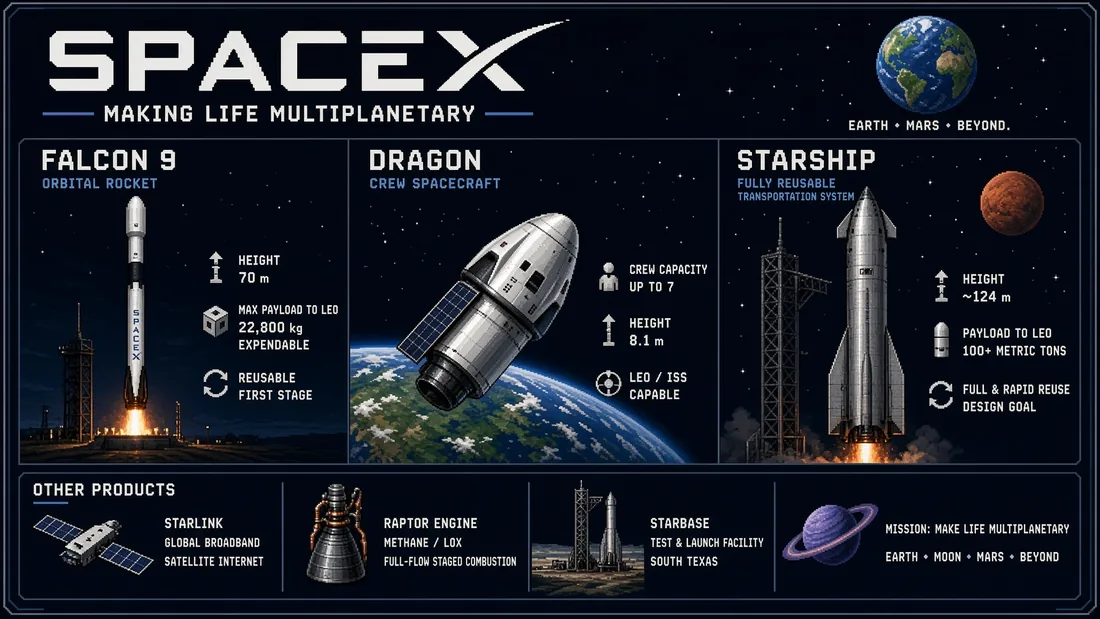
Infographic layout: pixel-art SpaceX chart
Pixel-art SpaceX infographic charting Falcon 9, Dragon, and Starship milestones with clean labels
The official typography showcase: chart structure, labels, and pixel style in one pass — matching the designer-grade layout claim.
xAI official launch page showcase · 2026-10-07 核验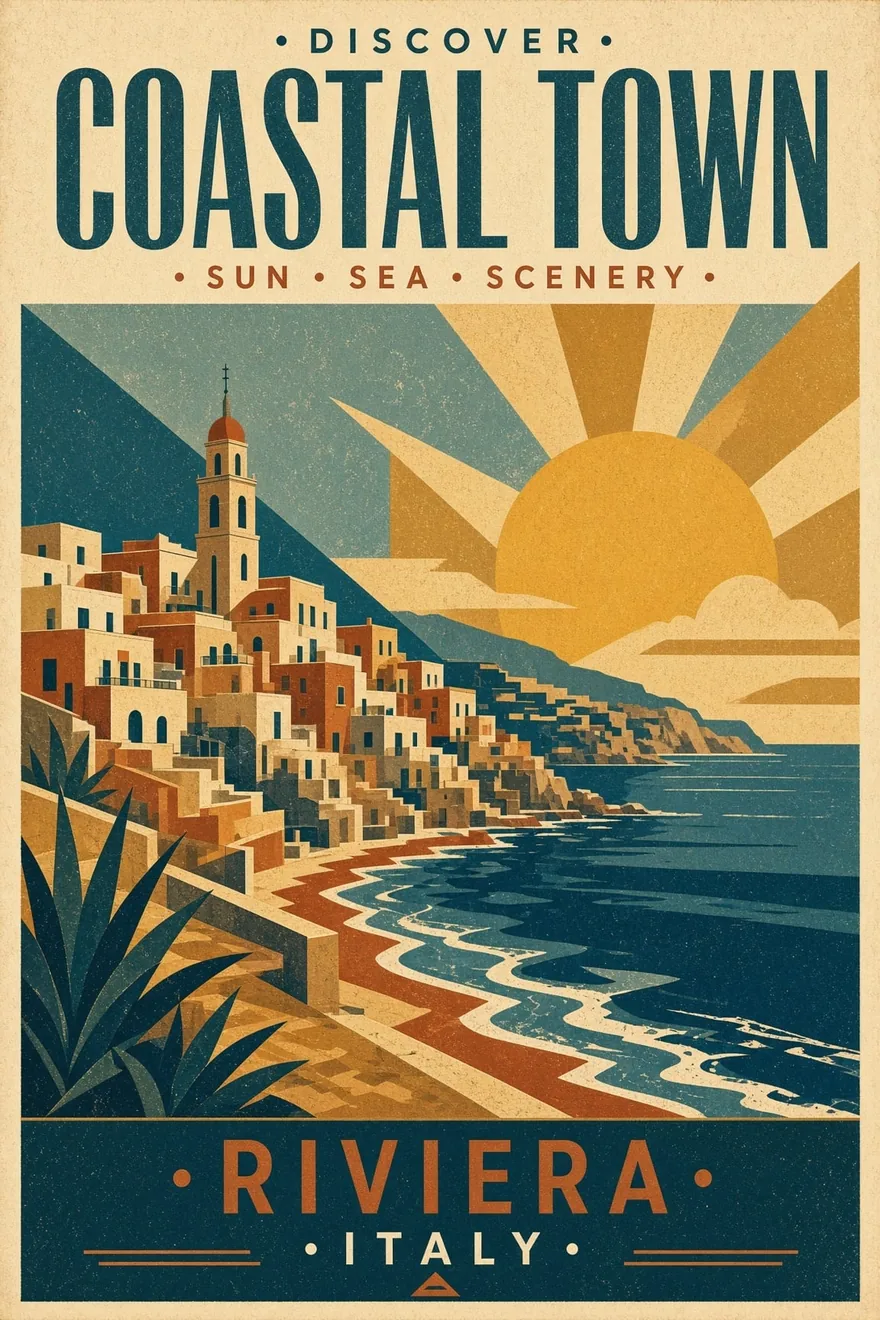
Vintage travel poster: Italian Riviera
Vintage travel poster of an Italian Riviera coastal town, layered cliffs and pastel buildings, retro typography
Vertical poster with full layout hierarchy and retro palette — a finals direction for ads and marketing assets.
xAI official launch page showcase · 2026-10-07 核验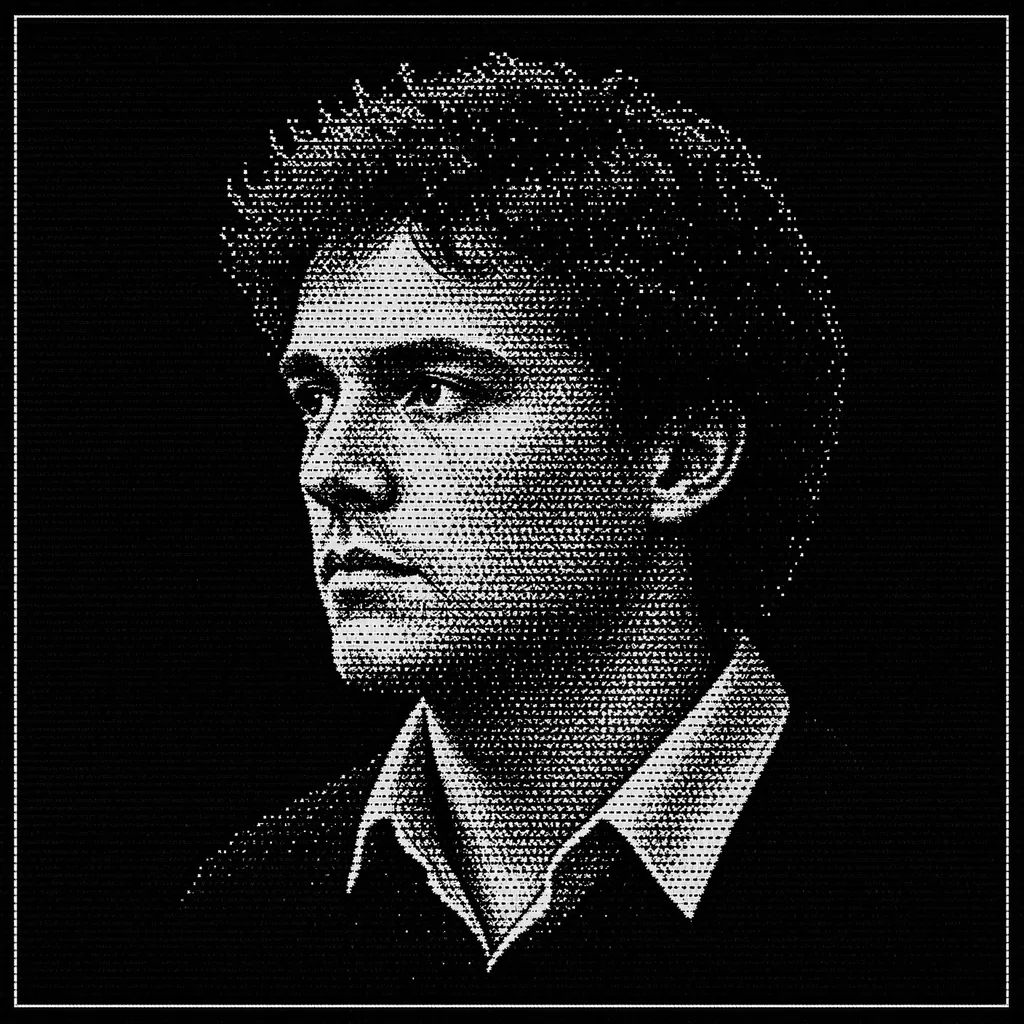
Stylized portrait: halftone dots
High-contrast halftone portrait of a young man rendered entirely in fine halftone dots
Pure-dot portrait holding facial structure and tone under high contrast — the photography/design/illustration multi-domain fidelity xAI claims.
xAI official launch page showcase · 2026-10-07 核验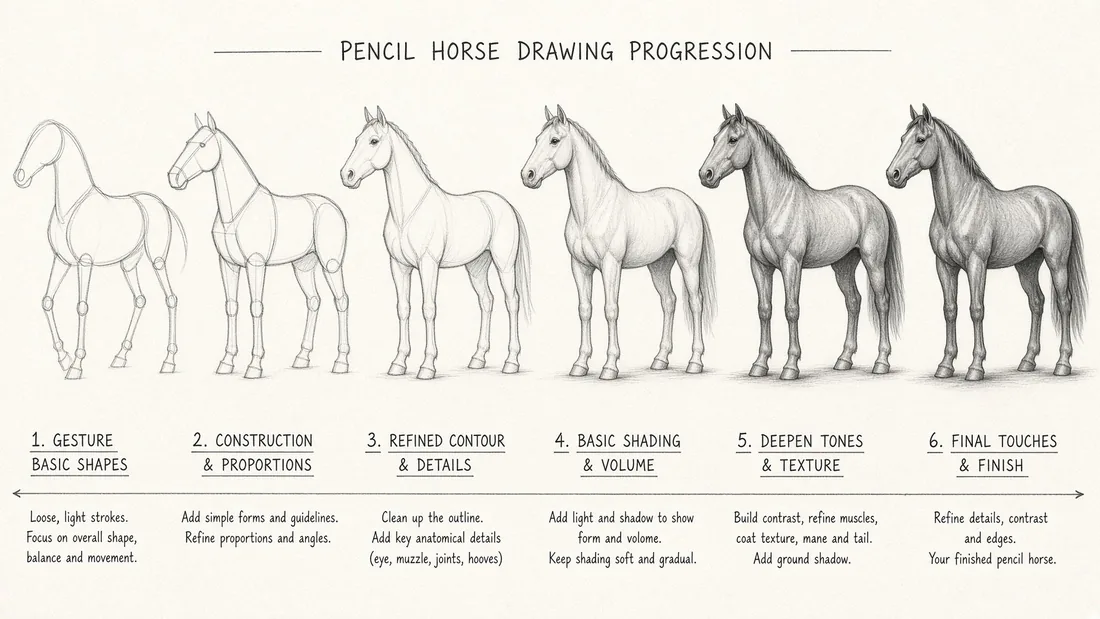
Step-by-step tutorial: pencil horse drawing
Step-by-step pencil horse drawing tutorial sheet with progressive stages from basic shapes to the finished sketch
Multi-panel tutorial demands strict grid layout and staged progression — a direct display of the complex multi-part visual claim.
xAI official launch page showcase · 2026-10-07 核验

Smart Resize: 1:1 to 9:16 recomposition
Recompose this scene to a 9:16 vertical frame, extending the environment instead of cropping
Official Smart Resize demo: switching ratio extends the scene instead of cropping — one generation fits every channel size.
xAI official launch page showcase · 2026-10-07 核验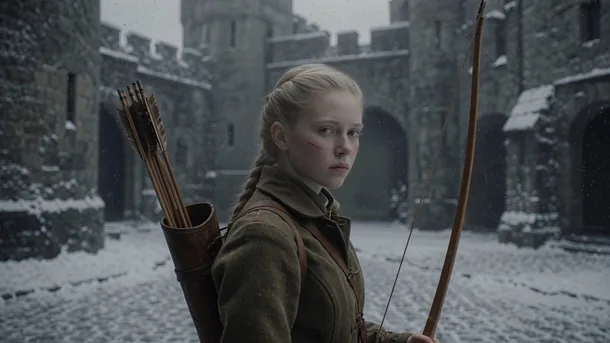
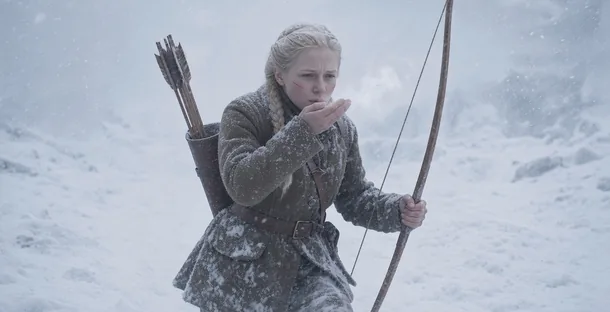
Character consistency: snow court to blizzard
The same archer character from the reference, now breathing warmth into her hands in a blizzard
From xAI's "build a world" series: the same character holds appearance and outfit across scenes — the subject-consistency claim across generations.
xAI official launch page showcase · 2026-10-07 核验Grok Imagine Image 2.0 API pricing
Pricing is generated from the current Roko catalog on the quality (low/medium) × resolution grid; the batch n parameter scales cost per image. Confirm the console estimate before submitting.
| Resolution | Price | Billing unit |
|---|---|---|
| quality=low · resolution=1k | $0.036 | per output |
| quality=medium · resolution=1k | $0.054 | per output |
| quality=low · resolution=2k | $0.054 | per output |
| quality=medium · resolution=2k | $0.072 | per output |
Cost examples
The low tier for drafts and asset iteration.
Default-quality batch; failed images are not billed.
Parameters and supported scope
These fields come from the current public generation_config. xAI also lists magic-wand editing, segmentation, and background removal tools; capabilities outside the form follow request validation.
| Parameter | Values | Notes |
|---|---|---|
prompt | textarea | Describe the image to create or the changes to apply to references. · Required |
image_urls | jpeg / jpg / png / webp · ≤3 | Reference images may use URL or Base64. State what must stay and what may change. · Optional |
size | auto / 1:1 / 4:3 / 3:4 / 3:2 / 2:3 / 16:9 / 9:16 / 2:1 / 1:2 / 19.5:9 / 9:19.5 / 20:9 / 9:20 | Selects an aspect ratio, resolution tier, or explicit pixel dimensions as configured for the model. · Default: auto · Optional |
resolution | 1K / 2K | Selects an output resolution tier configured for this model; the value may directly affect price. · Default: 1K · Optional |
quality | low / medium | The quality tier follows the model config (auto / low / medium / standard / hd) and can directly affect price. · Default: medium · Optional |
n | 1–10 | Number of images generated per request; more outputs cost more. · Default: 1 · Optional |
callback_url | url | Webhook notified on task status changes; omit it to poll the task endpoint instead. · Optional |
Call Grok Imagine Image 2.0 with Roko API
Run the async task flow: submit a task to get a task_id, then poll for the result. Never expose an API key in client-side code.
Submit generation
curl https://api.rokoapi.com/v1/images/tasks \
  -H "Authorization: Bearer $API_KEY" \
  -H "Content-Type: application/json" \
  -H "Idempotency-Key: YOUR_UNIQUE_REQUEST_ID" \
  -d '{
  "model": "grok-imagine-image-2.0",
  "prompt": "A concert poster for a synthwave band, bold retro typography, sharp small print",
  "size": "16:9",
  "resolution": "2K",
  "quality": "medium"
}'
Query recovery task
curl https://api.rokoapi.com/v1/tasks/$TASK_ID \
  -H "Authorization: Bearer $API_KEY"
POST /v1/images/tasks returns 202 with a task_id; once generation completes, query GET /v1/tasks/{task_id} for the result or failure reason. Idempotency-Key must be unique; replays with the same key return the original task without re-billing.
Best-fit scenarios
Posters and marketing assets
Designer-grade typography makes text and hierarchy usable as-is.
Synthwave band concert poster, bold retro title typography, small event details legible.
Product and e-commerce shots
Multi-reference fusion (up to 5 per xAI) composites product, scene, and model into one finals.
Place the reference perfume bottle on a marble counter in morning light; logo and bottle shape unchanged.
Multi-channel sizing
Smart Resize recomposes one finals across banner, vertical, and square by extending the scene.
Recompose this 16:9 key visual into a 9:16 story frame, extending the environment rather than cropping.
Batch A/B assets
The n parameter covers up to 10 per request; pair with the low tier for fast volume exploration.
Generate 10 low-quality variants of the same creative direction, consistent subject with slight composition changes.
Important limitations
- The Roko form caps reference images at 3; xAI's consumer flow supports up to 5 for multi-reference editing and the API moved to 5 on 2026-08-28 — follow request validation.
- quality is low or medium (medium default) on a dual-dimension grid: higher resolution plus higher quality stacks cost — price batch runs first.
- Third-party reviews note it trails GPT Image 2 on some realism and product-material tests; compare models for the most demanding finals.
- A submitted task is not a successful generation — trust the task query result, and review outputs before use.
Grok Imagine Image 2.0 or another image model?
Pick Grok Image 2.0 for precise typography and the editing toolkit (magic wand/segmentation/background removal); GPT Image 2 for peak realism and product materials; Seedream/Nano Banana families for infographics and Chinese-language scenes. Weigh control granularity, fidelity, and price.
All models →Grok Imagine Image 2.0 FAQ
What model ID should I use for Grok Imagine Image 2.0?
Use the public Roko API model ID grok-imagine-image-2.0 — identical to xAI's official API ID — exactly as shown in the model field.
How much does the Grok Imagine Image 2.0 API cost?
The current catalog bills on the quality × resolution grid: $0.036 per 1K low, $0.054 per 1K medium, $0.054 per 2K low, $0.072 per 2K medium. Prices can change; confirm the estimate and final settlement.
What's the difference between quality low and medium?
low is the faster, lower-fidelity tier for drafts and batch iteration; medium is the default tier with steadier detail and text. Pricing differs: $0.036 vs $0.054 at 1K.
Can one request generate multiple images?
Yes. The n parameter covers up to 10 images per request (default 1) with cost scaling per image — good for batch A/B assets and direction exploration.
Which aspect ratios are supported?
Fourteen: auto, 1:1, 4:3, 3:4, 3:2, 2:3, 16:9, 9:16, 2:1, 1:2, 19.5:9, 9:19.5, 20:9, and 9:20, auto by default. xAI's Smart Resize additionally recomposes existing images between 1:2 and 2:1.
Does it support image editing?
Yes. Passing references switches the task into image-to-image/editing; xAI's toolkit includes magic-wand edits, segmentation, background removal with transparent export, and multi-reference fusion. The Roko form currently caps references at 3 — follow request validation.
Which endpoint does it use?
Submit async tasks via POST /v1/images/tasks to get a task_id, then poll GET /v1/tasks/{task_id} for the result or failure reason.
How good is Grok Imagine Image 2.0 quality?
At launch it ranked second in the world on both Arena text-to-image and image editing (2026-08-07, behind GPT Image 2). Third-party reviews praise instruction following and typography while noting some realism and product-material gaps versus GPT Image 2 — benchmark on your own workload.